
And Now For Something Completely Different ~ Color Solarization Edition
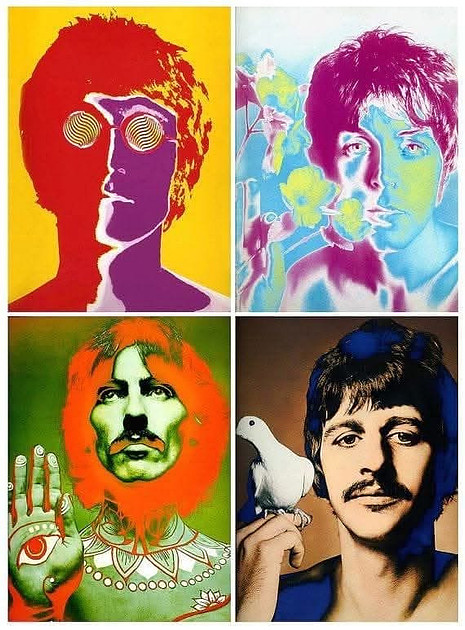

Richard Avedon’s Portrait of The Beatles 1967 posters set a creative, trippy high-bar standard for the color Solarized image, one that perfectly captured the Fab Four in all their psychedelic glory of the time. These posters immediately became iconic and showed a wonderful use of colors. Avedon, known for his uniquely stylized fashion and portrait images in black and white, applied Day-glo colors and overlays onto Solarized black and white prints to create his effect. I’m going to show you a digital form of creating color Solarized images.
Now while in my previous post on solarization I said that I much preferred the black and white style of solarization to color, in researching and creating examples for this post, I must say I’ve enjoyed this process more than I thought I would. A bit of backstory: In all my long career of experimenting with analog photography processes, I never had the opportunity to try the solarization process on color materials since my color print work was always processed in a machine. That said, I did Google whether you could make color solarizations with analog materials (color paper) and was happy to find you could:
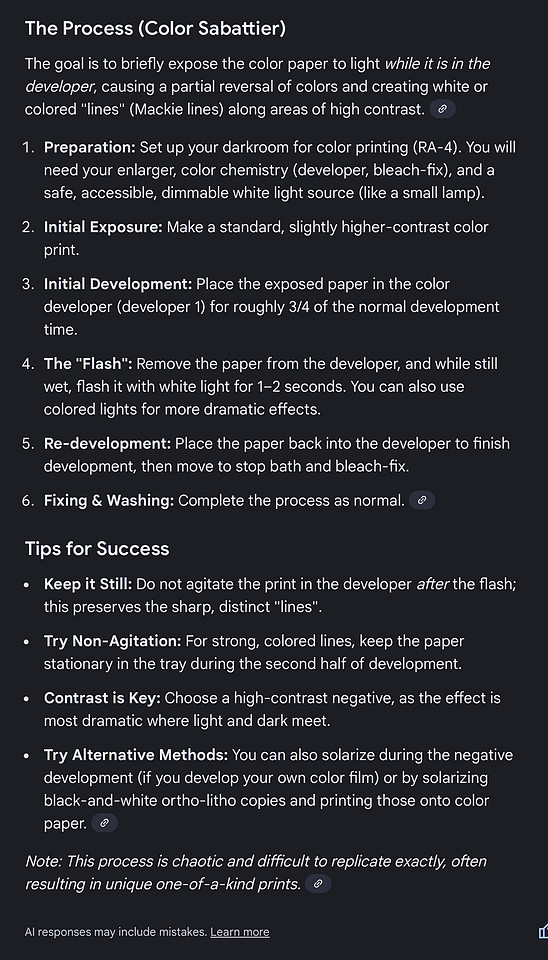 Screenshot
I definitely would have had fun with this in Art School if we had had the setup in the color darkroom.
So How Does One Create Digital Color Solarizations?
 Edit Plugin: NIK DFine 2 Noise Reduction
Color Grading +Film Grain all in Aperture
So how do you create the Solarized effect on an existing color image? If you read my previous post on the digital black and white technique and watched the short video, the approach to doing it in color is the same… mostly.
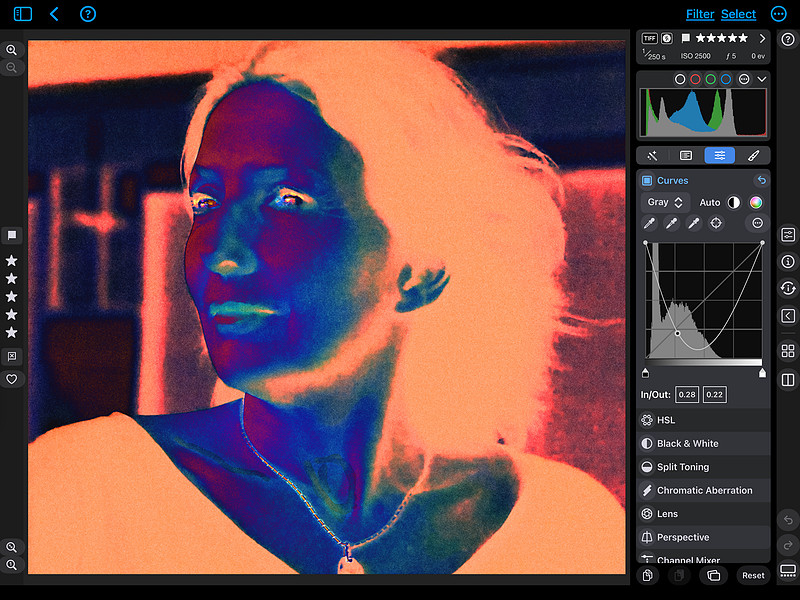
Using the Curves tool, simply drag the black point all the way to the top, then grab a point in the middle of the Curve line and drag it down (creating a “U” curve) and play with moving it left/right and up/down until you get a look you like. If your Curve tool is set to “Gray” output this will make your image look more like a negative version of your image, with some slight Solarized effect.
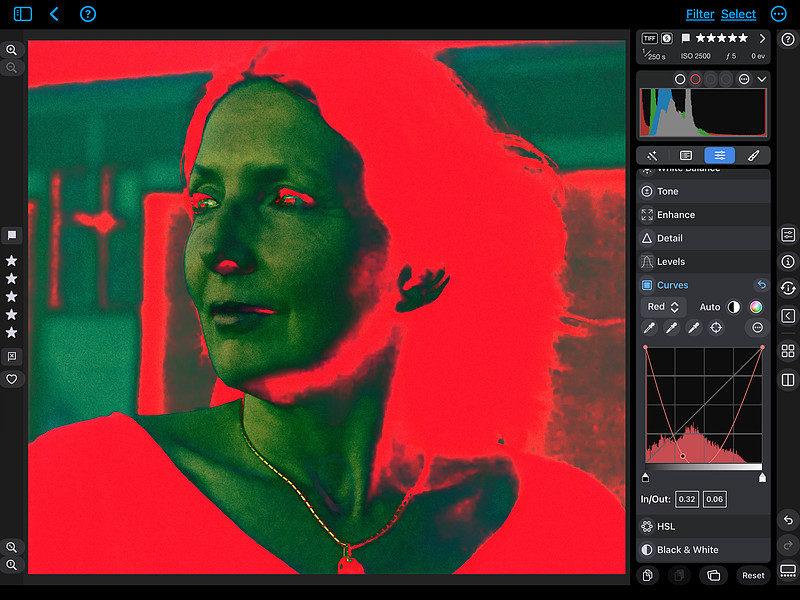 You can also play with setting the Curve output to one of the color channels such as Red and see what effect the Red curve gives you.
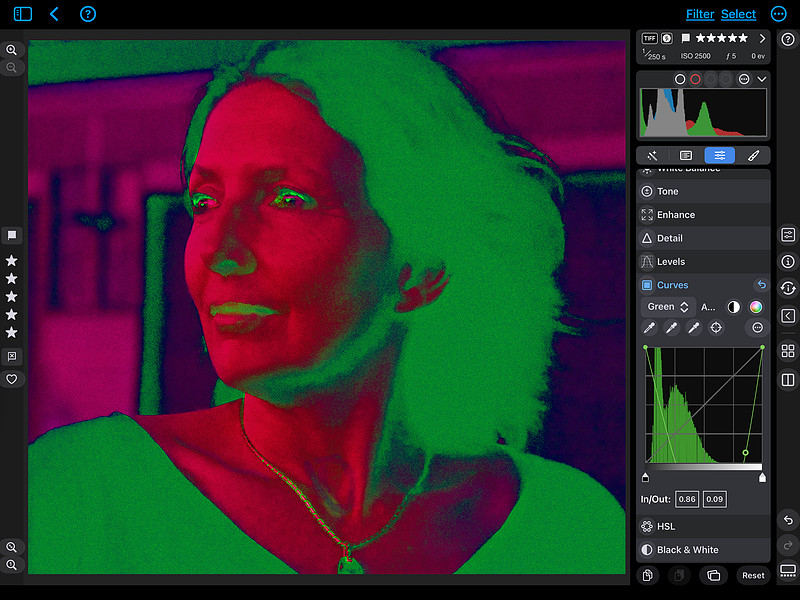 Try it with the other color curves too such as green. When dealing with color images it’s fascinating to see how tools interact with the various colors in your photo. You’re not simply dealing with tonal qualities like with black and white images, but all the nuances of color too.
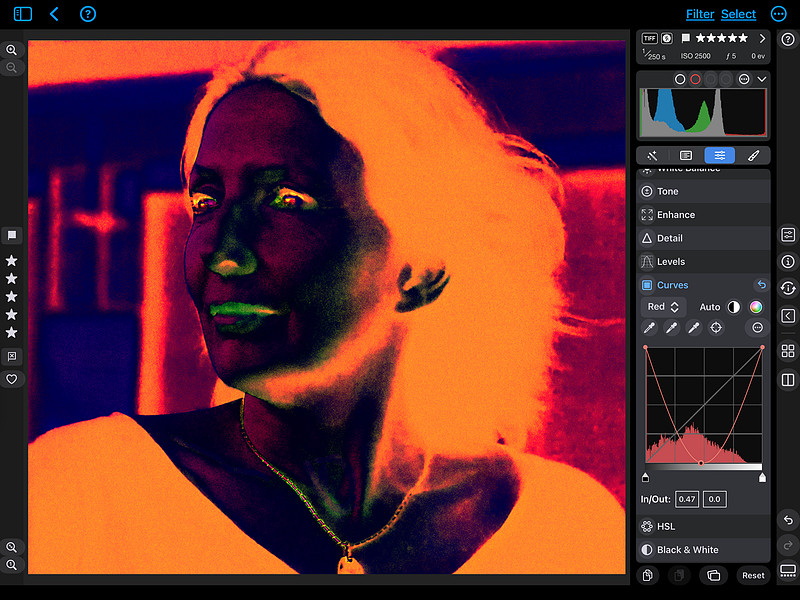 You can even play with combining multiple “U” Curves of each of the color curves (here is Red and Green curves in combo) for a more unique look.
 Screenshot
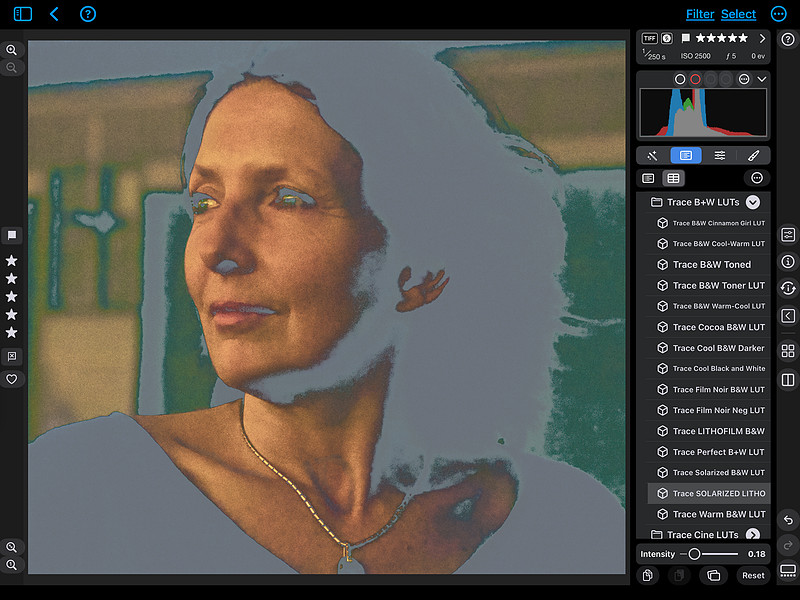
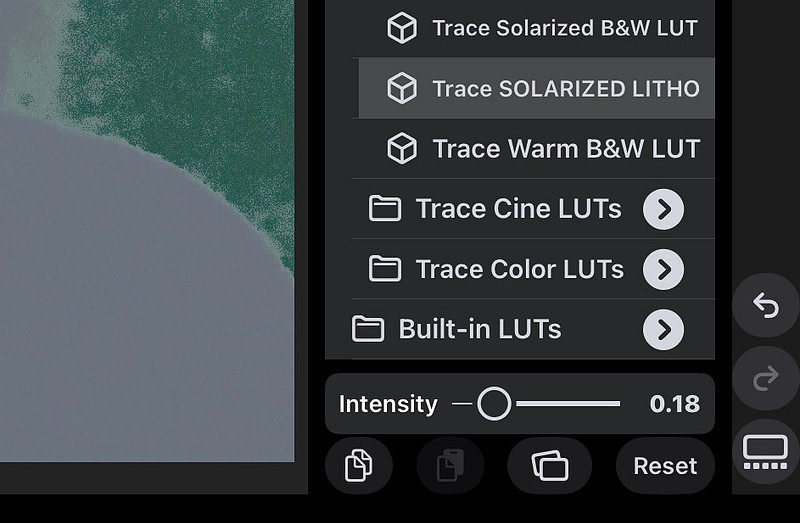
I also have a “SOLARIZED LITHO LUT” available in my custom Black and White LUTS Collection. When used on a color image at a low intensity/opacity the effect is quite unique.
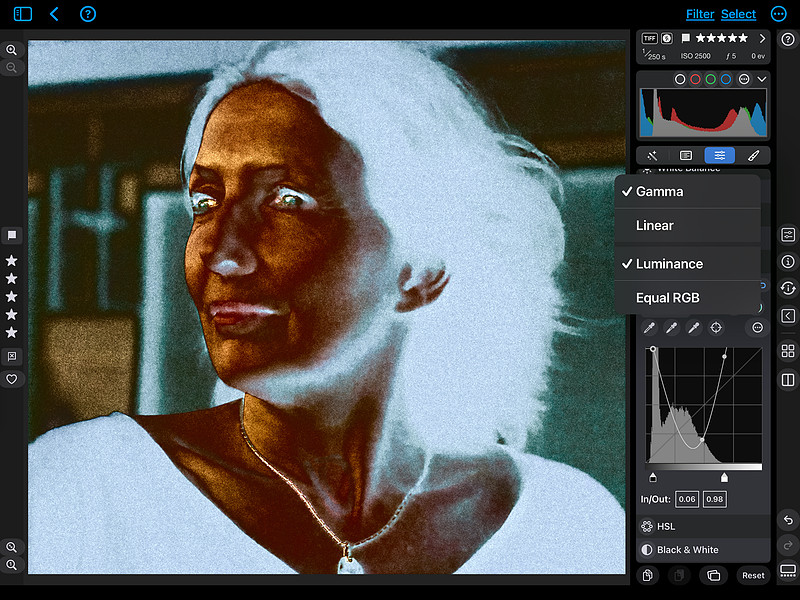 If your Curve tool allows you to play with the render settings, even combining two such as Gamma and Luminance here in Nitro Photo, you can get even more unique and subtle qualities to your Solarized look. You can also experiment with moving your black and white input/output markers below the Curves histogram to see how they can affect the look.
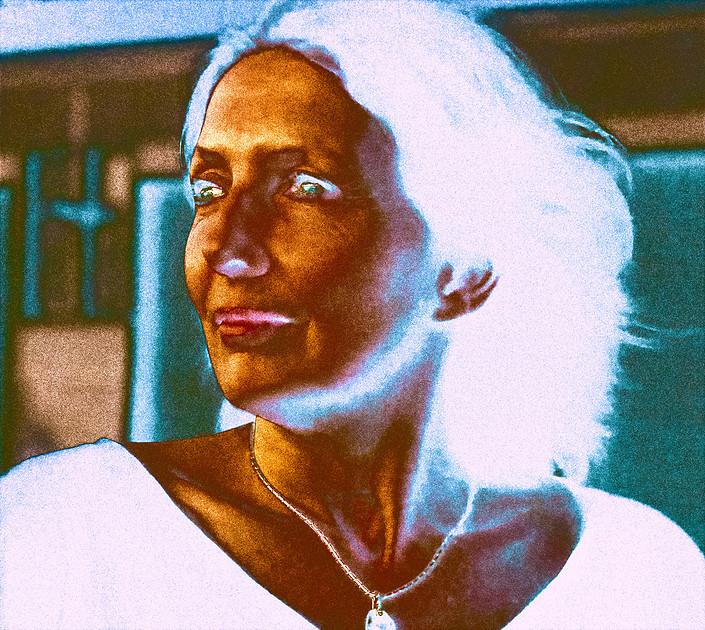 Edit Plugin: NIK DFine 2 Noise Reduction
Color Grading +Film Grain all in Aperture
I settled on this iteration by adding one of my color LUTs to the final image which now hangs in my :: The LAB :: gallery. All in all I’ve really enjoyed experimenting with creating color Solarized images, or rather the digital equivalent of them. There are far more possibilities for making variations than would be available through an analog process alone. Digital tools give you so many options and combinations of effects that you can explore to your heart’s content!
|
January
(1)
February (1)
March
(1)
April (1)
(5)
May (5)
(4)
June (4)
(1)
July (1)
August
September
(3)
October (3)
November
December
|
(1)
January (1)
(2)
February (2)
(2)
March (2)
(1)
April (1)
(2)
May (2)
June
(1)
July (1)
August
(1)
September (1)
(2)
October (2)
(3)
November (3)
(2)
December (2)
|
(3)
January (3)
February
(2)
March (2)
(3)
April (3)
May
June
July
August
September
October
November
December
|
January
February
March
April
May
June
July
August
September
October
November
December
|
January
February
March
April
May
June
July
August
September
October
November
December
|
January
February
March
April
May
June
July
August
September
October
November
December
|
January
February
March
April
May
June
July
August
September
October
November
December
|
January
February
March
April
May
June
(1)
July (1)
(1)
August (1)
September
October
November
(2)
December (2)
|
(1)
January (1)
February
March
(1)
April (1)
May
June
July
August
(2)
September (2)
(2)
October (2)
November
(1)
December (1)
|
(3)
January (3)
February
(1)
March (1)
(2)
April (2)
(2)
May (2)
June
July
August
September
October
November
December
|
January
February
March
April
May
June
July
August
(1)
September (1)
(1)
October (1)
(11)
November (11)
December
|
January
February
March
April
(1)
May (1)
(3)
June (3)
(2)
July (2)
(1)
August (1)
September
October
(2)
November (2)
(2)
December (2)
|
(2)
January (2)
(1)
February (1)
March
April
May
June
July
August
September
(2)
October (2)
(1)
November (1)
December
|
January
(2)
February (2)
(1)
March (1)
April
(1)
May (1)
(1)
June (1)
July
(1)
August (1)
September
October
(1)
November (1)
December
|
(2)
January (2)
February
(1)
March (1)
(2)
April (2)
May
June
July
(1)
August (1)
(2)
September (2)
(1)
October (1)
November
December
|